
WhatsApp FAQs
Will there be any charges for the WA messages which are not sent because of the invalid numbers as in because of the country code missing?
No, the customer will not be charged in this case. The message should get delivered; only then the customer will be charged. As discussed in our session, customers are not shared on a per-message basis - they are charged on a per 24-hour conversation session basis.
https://developers.facebook.com/docs/whatsapp/pricing/
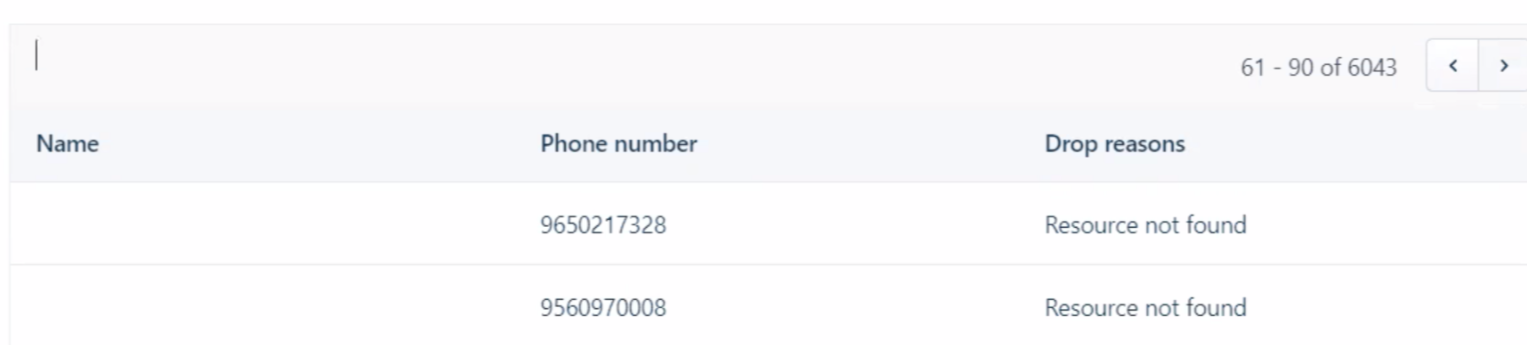
What does “Resource not found” dropped reason mean?
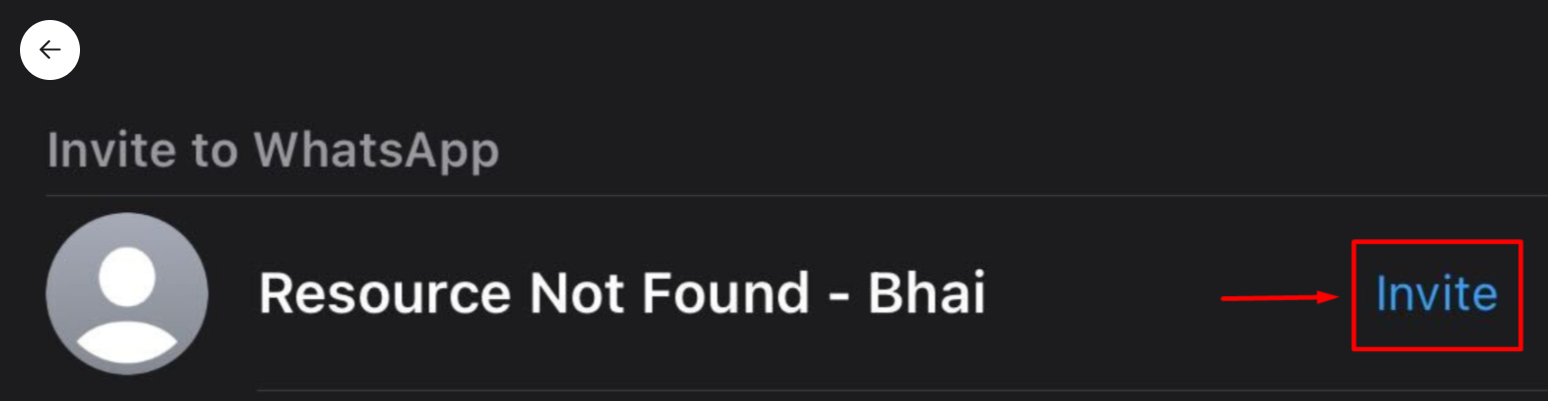
The Message implies that the number to which we are trying to send a whatsapp message to does not have Whatsapp Account linked to it. If we try searching for the same number on Whatsapp, we will get the Invite option, which means the number does not have Whatsapp.What is the cause of the below error during Signup:
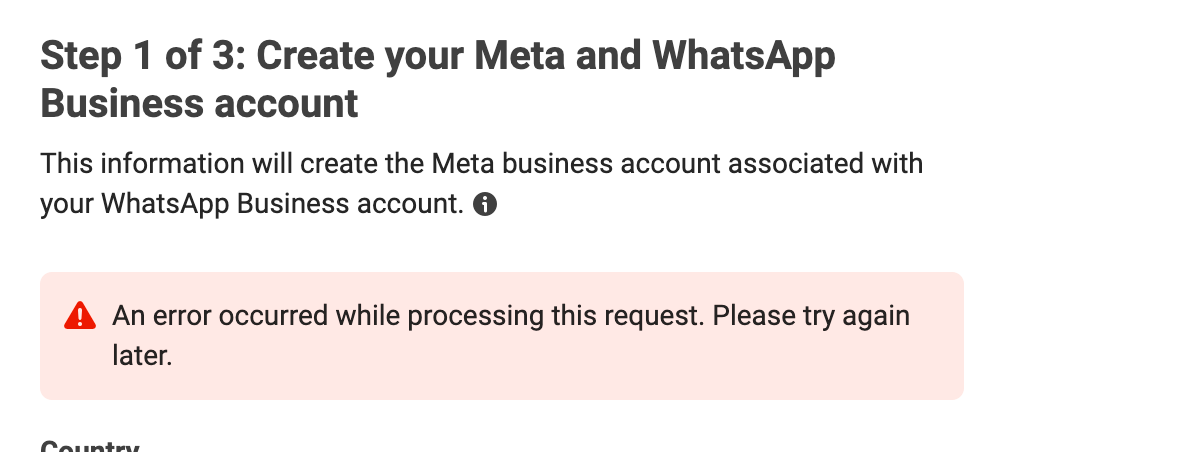
This error is from Facebook and not Freshworks.
This entire signup UI is Facebook's UI.
This is outside our scope. However, please see the screenshot below for the error, reason, and possible solutions from Facebook's developer documentation.
The cx wants to have a report of all the contacts that "errored" and did not receive their whatsapp message from a specific journey.
Video for Whatsapp report creation via Analytics module: https://share.vidyard.com/watch/tCrrbTwRaqNxhY5PDjQwLw
Reason for “Whatsapp not opted” drop
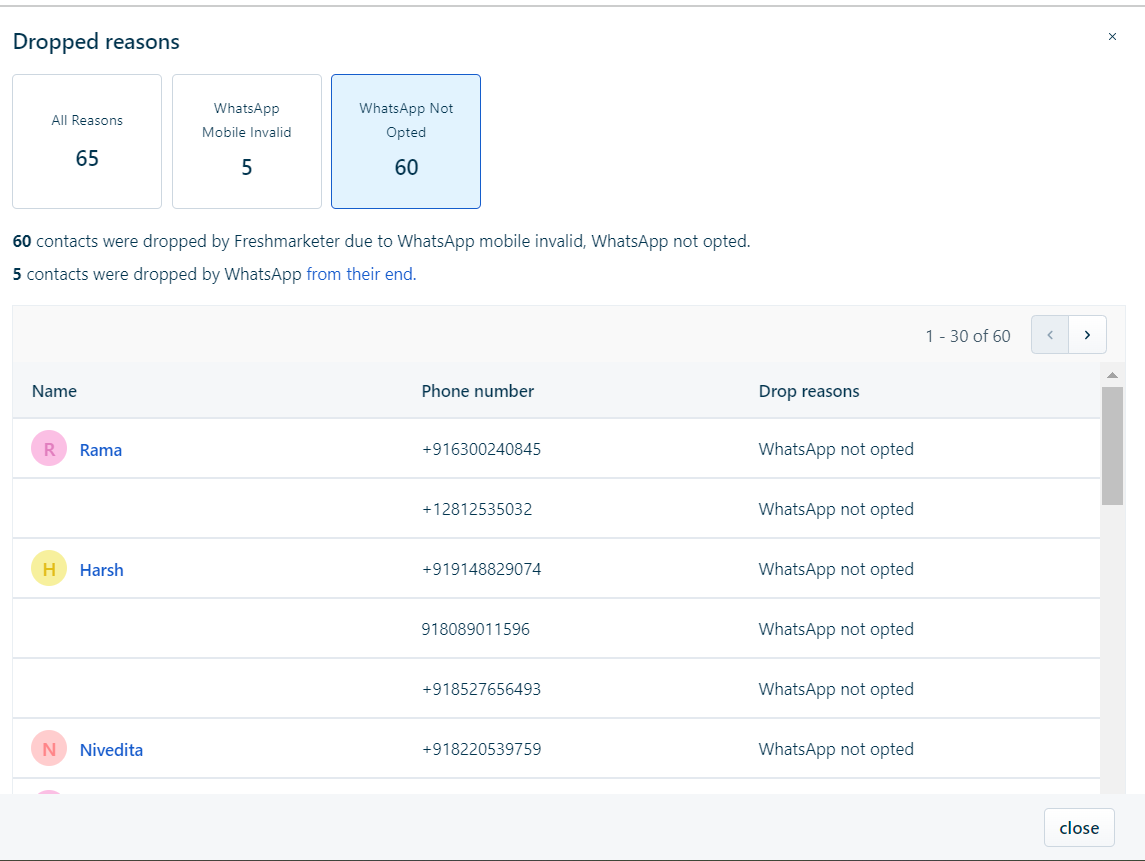
The contact is not subscribed to WhatsApp, i.e, WhatsApp Subscription status is not Subscribed
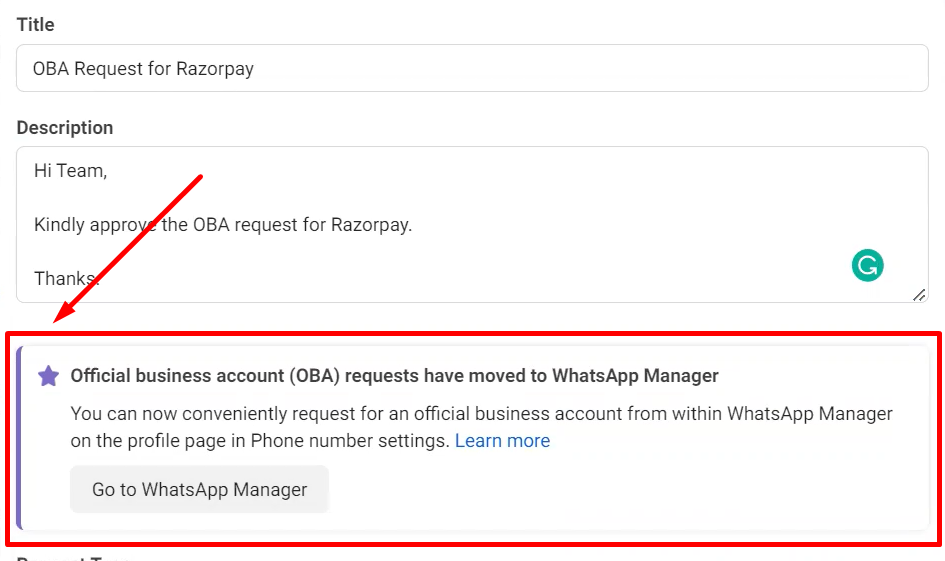
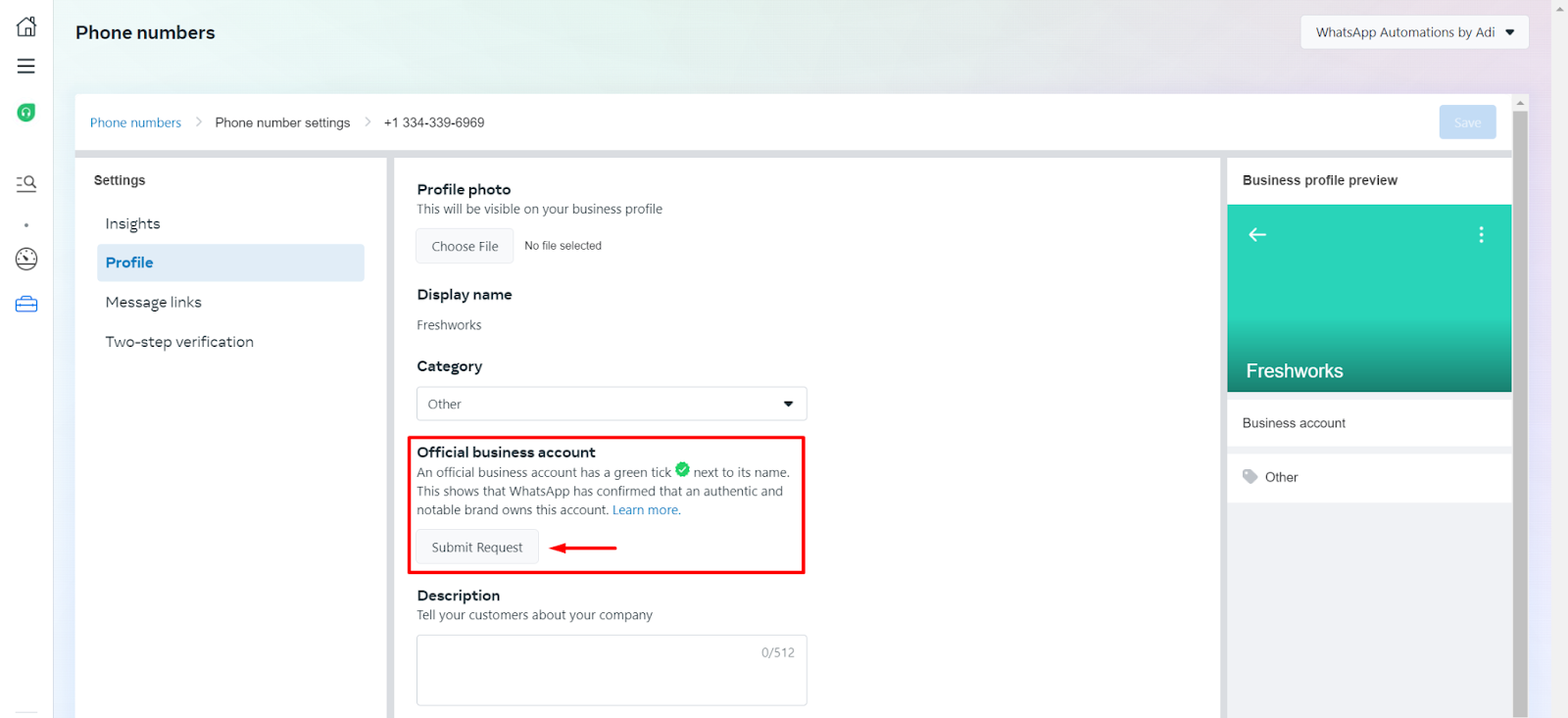
How to raise an OBA request:
Here is how:
Open the WABA page
Go to the 3rd tab (Settings tab).
Click "WhatsApp Manager".
Go to the "Phone Numbers" page.
Click the Gear Icon "Settings" near the number that you want to request a green-tick for.
Go to the "Profile" tab.
Here, the customer will see the option to raise an OBA request.
Pre-requisites:
2FA has to be enabled.
FBM has to be verified.
Whatsapp Articles for Dropped reasons/Error codes:
https://developers.facebook.com/docs/whatsapp/on-premises/errors - On Premises
https://developers.facebook.com/docs/whatsapp/cloud-api/support/error-codes - Cloud
Whatsapp Account Already exists Error:
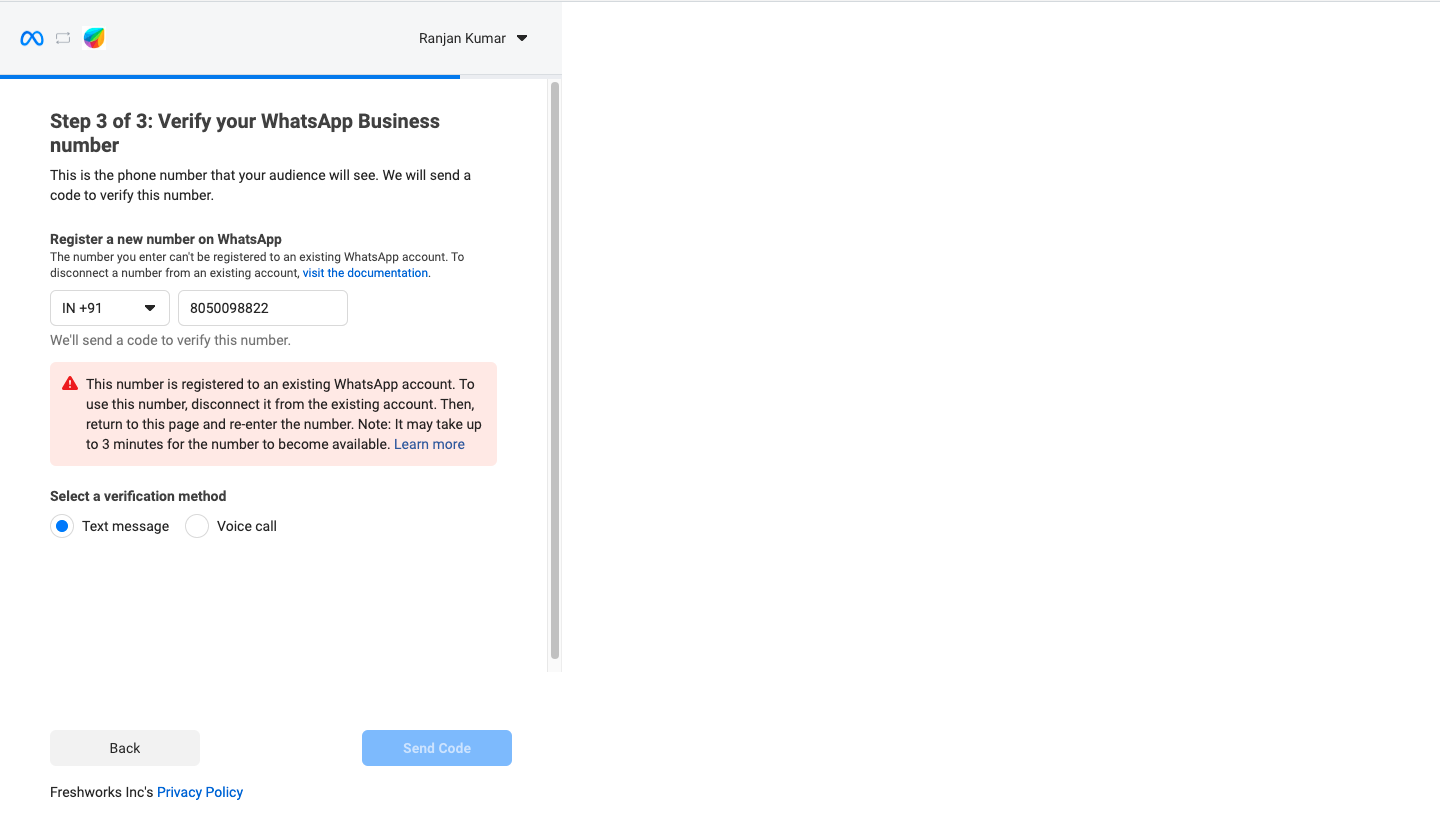
There is already a Whatsapp account present which is using the number and it should be deleted in order to create a WABA with the same number.
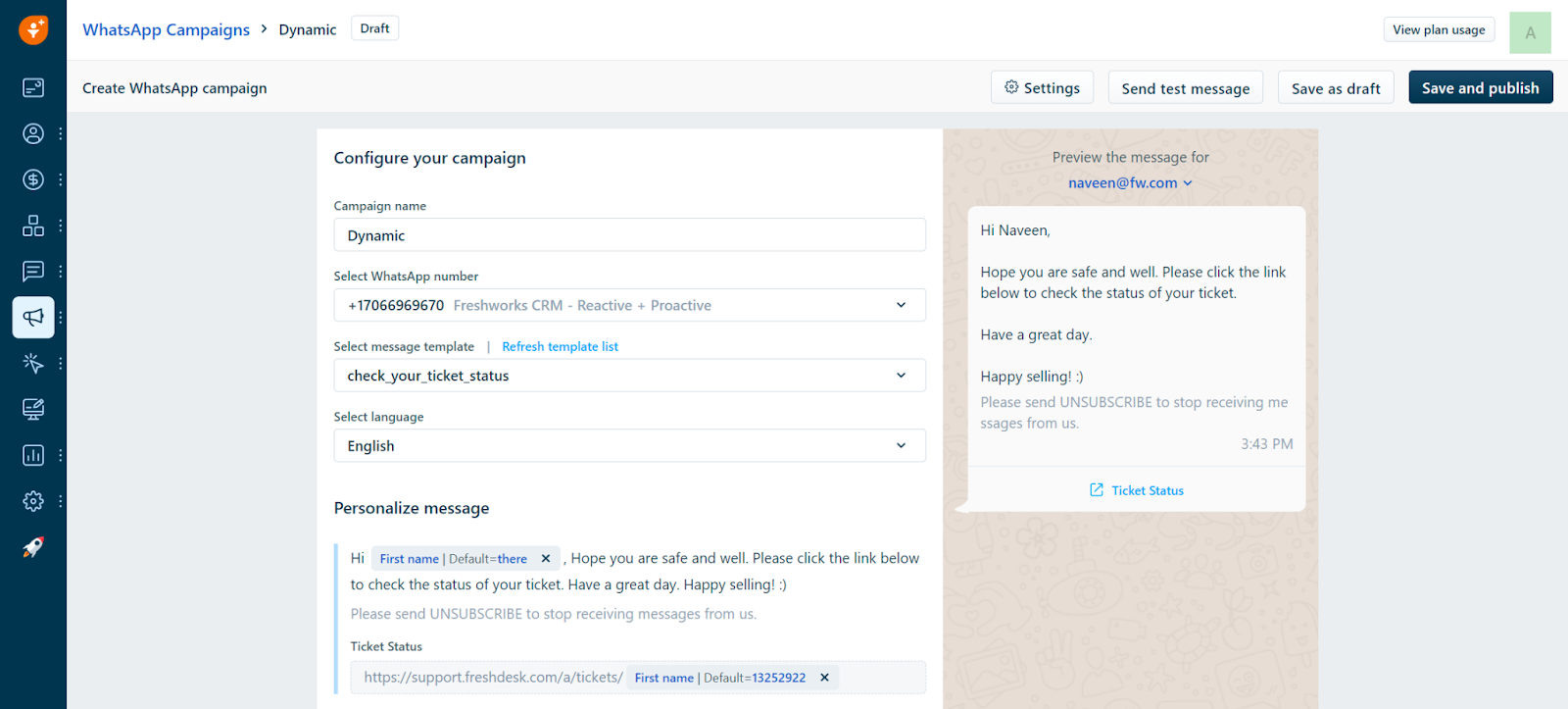
Are dynamic URLs supported in Whatsapp Templates?
Yes from a recent update on the 13th it is possible to do the same.
Whatsapp profile picture isn't displaying when viewing from the phone.
This should be updated directly from their Facebook Business Manager.
Here is how: https://share.vidyard.com/watch/bX1PrDh1AC8y4Edjr3KvZF
How to integrate Whatsapp using Freshcaller numbers.
NOTE: Since you are using a Freshcaller Number, you will have to create a new Call Queue, and make sure that this number is assigned to this new Call Q.
1. Make sure to go to Global Queue > Play Message > New Message:
Create a NULL message as follows:
Message Name: Any message name you want.
Type: Text-to-speech.
Message: Just add a full stop.
2. Global Queue > Caller will be attended by > select the user who is going to perform the OTP verification.
The above steps need to be done only temporarily, just to answer the OTP verification call.
You can then revert back to your previous IVR setup.
Basically, we have to make sure there is no welcome message before the OTP verification call comes through.
The OTP call is going to be an automated pre-recorded call that will come to you as an incoming call on the CRM, and if there’s a welcome message, then the WhatsApp OTP will NOT be able to traverse through the IVR/Welcome Message.
SMS verification is not possible for Freshcaller/FWCRM/Virtual Landline numbers since they do not support SMS.
Here is a short clip illustrating all of the above steps: https://share.vidyard.com/watch/2PRtr8qbSuFV1MxFitiCtQ?
Can we downgrade a number from API format back to the normal format so that the customer can again use the same number in their mobile app?
If the number is deleted from the WABA - it will get freed up for usage elsewhere. It can be registered anywhere including the mobile WhatsApp/WhatsApp Business App.
Here is how to delete a number from a WABA:
https://developers.facebook.com/docs/whatsapp/phone-numbers/#delete-phone-number-from-a-waba
Media file size for video upload.
The file size limit for videos is 16 MB. Image - 5MB | Video - 16MB | Document - 100MB.
How to add a Whatsapp Button to your website(Not related to campaigns):
https://faq.whatsapp.com/5913398998672934
WhatsApp limits that need to be kept in mind.
1. Daily WhatsApp-imposed limit:
This is a DAILY limit from WhatsApp. Freshworks has no control over this.
To read more about messaging limits:
https://developers.facebook.com/docs/whatsapp/messaging-limits
If your FBM is not verified, starting limit is 50 customers/24hr else if it is verified then it is 1000/24hr
How to increase the limit:
Your limit will automatically get upgraded to the next tier IF in the last 7 days you have initiated X or more conversations with unique customers, where X is your current messaging limit divided by 2.
Each time you initiate a new conversation with a unique customer we will determine if your limit should be increased. This determination is based on the following criteria:
Your phone number status is Connected
Your phone number quality rating is Medium or High
In the last 7 days you have initiated X or more conversations with unique customers, where X is your current messaging limit divided by 2
If you meet all conditions, we will increase your messaging limit by one level in 24 hours.
More info here: https://developers.facebook.com/docs/whatsapp/messaging-limits#increasing-your-limit
https://developers.facebook.com/docs/whatsapp/messaging-limits#messaging
2. Freshmarketer Marketing Contact Monthly Limit: This is a MONTHLY limit imposed by Freshworks.
There is a monthly Marketing Contact limit that you need to adhere to in addition to the daily WhatsApp limit.
You can check how many Marketing Contacts you get by heading into any Marketing Automation feature > click on "View Plan Usage" on the top right:
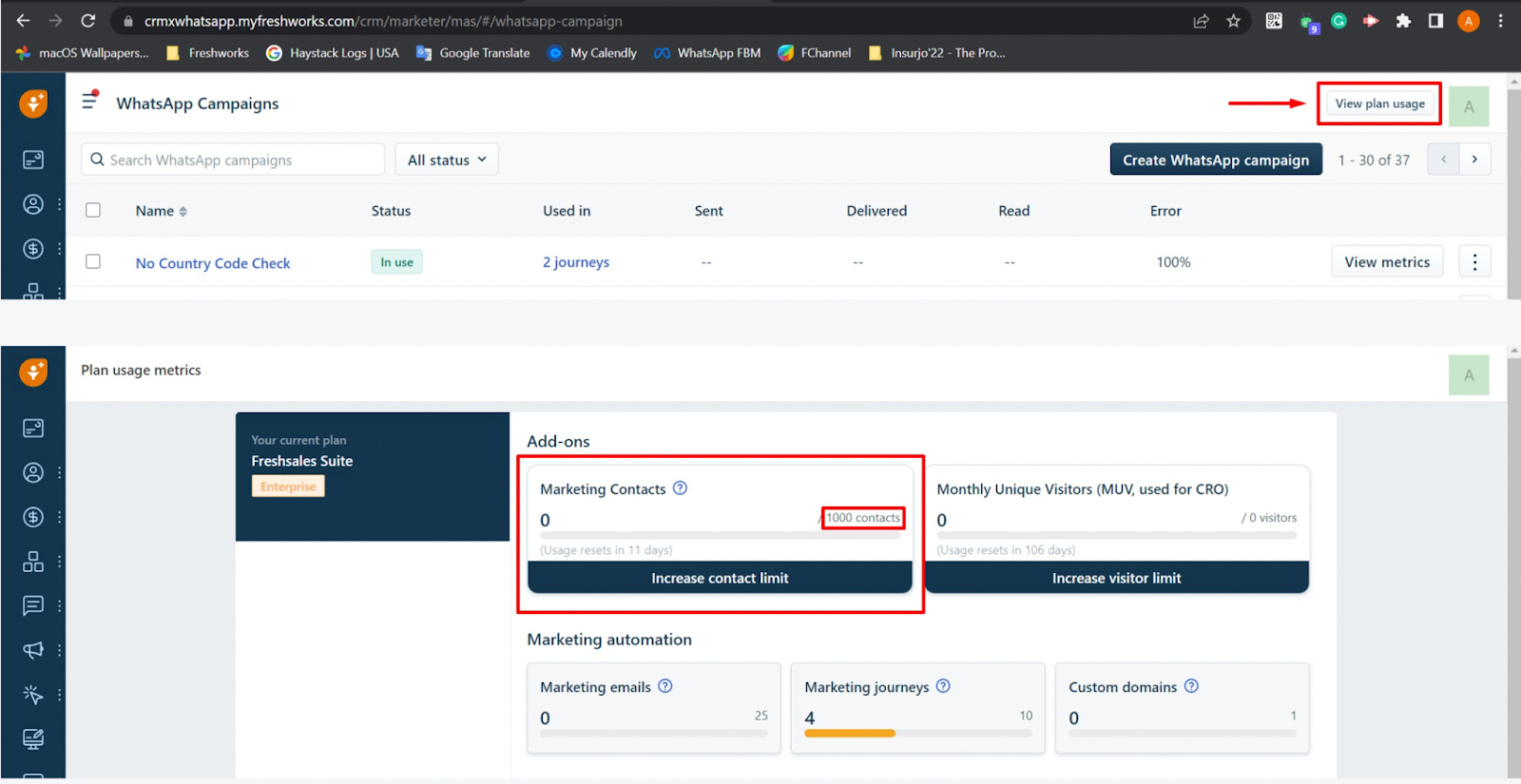
How are Marketing contacts calculated?
Marketing contacts are unique contacts who can be reached via marketing channels (Email, SMS, and WhatsApp) during a billing month. e.g., If the account has 10000 contacts and has a limit of 5000 Marketing contacts, the first 5000 unique contacts reached out via a journey will be marked as Marketing contacts for that Billing month. The remaining 5000 contacts can’t be reached out during the same billing month.
Are all contacts who enter a journey will be marked as Marketing Contact?
No, only the contacts who receive marketing communication via WhatsApp, SMS, or Email will be marked as marketing contacts. Contacts reached out via web widget are not considered Marketing contacts. Using journeys to update a contact, add a note, trigger a webhook, etc, will not make a Contact a Marketing contact.
More info on this here: https://crmsupport.freshworks.com/en/support/solutions/articles/50000003081-what-are-marketing-contacts-how-are-they-measured-
3. Freshchat per-minute Outbound Messaging Limit - 2k/minute.
How to use media links in Whatsapp Campaigns.
Here is how to use media in WhatsApp Campaigns:
You can NOT use Google Drive/Canva/YouTube/Local links for any media links.
You can only use publicly hosted file links.
This is not a limitation from Freshworks/Freshmarketer.
WhatsApp expects a publicly hosted media URL.
For images you can use imgbb.com:
Please upload your image to imgbb.com.
And watch this short video to learn how to get the correct image link for WhatsApp Campaigns:
https://share.vidyard.com/watch/JSe5YyP82hu124kvcCk1r5?
Sample Image URL: https://i.ibb.co/Jms2W1C/RMP.png

For Documents/Videos: You will have to host them yourself on some hosting service like Amazon Web Services (AWS) S3.
Or, if you have your own website - you can ask your web developer to create a public bucket and host the files on that.
Checkpoints before sending out Whatsapp Campaign:
1. The Contact's phone number should be stored in the default "Mobile" field. No other field will be accepted by WhatsApp Campaigns.
2. The Contact's phone number should have the country code along with the + sign compulsorily - else the message will get dropped.
3. The Contact's "WhatsApp Subscription Status" field should be marked as Subscribed - else the message will get dropped.
4. If the Contact has blocked your number, the message will get dropped.
5. If the Contact's number is not even on WhatsApp - the message will get dropped.
How to create WhatsApp templates:
Support article: https://crmsupport.freshworks.com/en/support/solutions/articles/50000004447-how-do-you-create-message-templates-in-whatsapp-business-manager-
List of Errors/Drop Reasons and possibilities:
Mobile Invalid: No country code, the number is not a 10-digit number or a valid number.
Not Opted: Whatsapp Subscription Status is not set as Subscribed.
Generic Error: Request for the Template screenshot from the customer, usually the URL for the image/media is not a publicly accessible one and this is why the contact dropped.
SPAM Rate Limit Hit: Daily Whatsapp limit has exceeded(1000 customers/24 hours), SPAM word is a bit misleading.
Marketing Contacts Exhausted: FM contacts limit exceeded
Rate Limit Hit: Freshchat API limit(per minute) exceeded(around 2000/minute)
Resource not Found: The number is not present in Whatsapp/there is no Whatsapp account associated with the number.
Internal Error: Request for the Template screenshot from the customer, if all checks are there but still the issue is present, then it can be checked with L2.
Template Param Count Mismatch: Template edited from FBM but still present in FM WA Campaigns, you must create a new template or clone the template again in FBM and then sync the new one.
Template Missing: The template was deleted from FBM but is still present in FM WA Campaigns. You must create a new template or clone the template again in FBM and then sync the new one.
When will the links in the message body of a WhatsApp message be clickable?
Links in the body of the template will be clickable ONLY in the following scenarios:
>The customer has an Official Business Account (OBA) - i.e. an account with a green-tick.
>If the end-customer [our customer's customer] has saved the business' number as a Contact on their phone.
>If you are not an OBA and if the end-customer has not saved the business' number - then the end-customer needs to click the "Continue"/"OK" button. As soon as the end-customer clicks this button - any links in the body will become clickable.
>If you are not an OBA and if the end-customer has not saved the business' number - then the links will become clickable if the end-customer simply replies to the business' template message.
L2 Information
There are 3 Engineering Teams: L2 - Channels, Freshchat L2.
L2 - Channels: Any issues before integration or during integrating like Setup Pending issue.
Freschat L2: Any chat related issues, like sending message in Whatsapp but the same is not loading in the chat.
FM - WhatsApp & SMS Campaigns: Any campaign related issues, like template sync, etc.