
Twilio SMS lets you send and receive text messages with your customers directly from Freshdesk. You can connect one or more Twilio phone numbers and assign SMS conversations to agent groups, all from a single inbox.
TABLE OF CONTENTS
Prerequisites
Before you begin, make sure the following requirements are met.
- Ensure you have an active Twilio account. If you don't have one, sign up on the Twilio sign-up page.
- Ensure you have at least one phone number in your Twilio account. You can purchase numbers directly from Twilio.
- Ensure you have admin access in Freshdesk to configure SMS channels.
- If your customer base is in the US, it's essential to have a registered 10 DLC number in your Twilio account. Sending messages to US phone numbers is possible exclusively through these registered DLC phone numbers. For more information, see A2P 10DLC Messaging Registration Process
Overview
With the Twilio integration, you can manage customer SMS conversations without leaving Freshdesk.
Once connected, all inbound SMS messages from customers appear in your inbox, where agents can view and respond in real time.
The Phone numbers added can be either SMS-only or MMS-enabled. SMS-only numbers support text messages, while MMS-enabled numbers also support sending and receiving media such as images, videos, and files. For a general overview of the SMS channel, see Connect SMS channel to Freshdesk.
Connect your Twilio account
To connect your Twilio account, follow these steps:
- Log in to your Freshdesk account as an admin.
- Go to Admin Settings > Channels > SMS > Twilio.
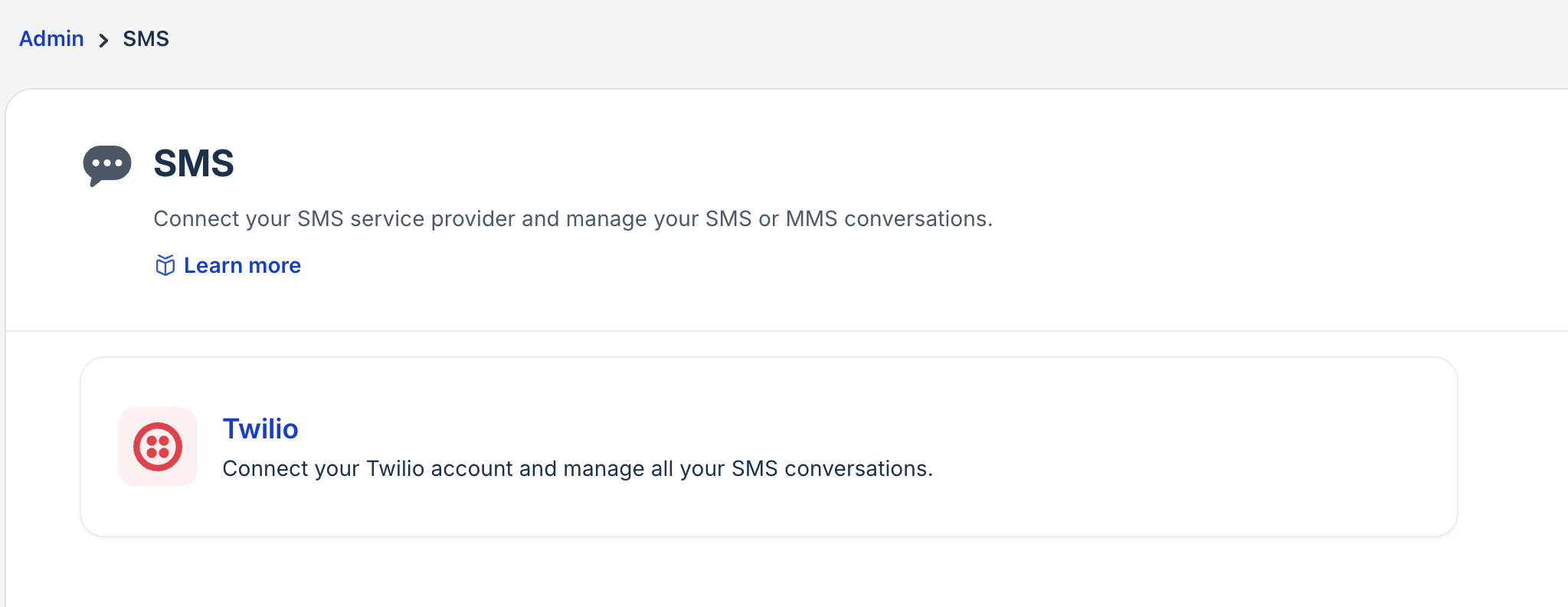
- Click Connect Twilio account.
- Enter the following details:
- Account name: Enter a display name for the Twilio account. You can change this any time.
- Account SID: Enter your Twilio Account SID.
You can find this in your Twilio console under Account > Keys & Credentials > API keys & tokens > Live Credentials > Account SID. - Auth token: Enter your Twilio auth token.
Find this in your Twilio console under Account > Keys & Credentials > API keys & tokens > Live Credentials > Auth Token.
For more details, see How to find Twilio account SID.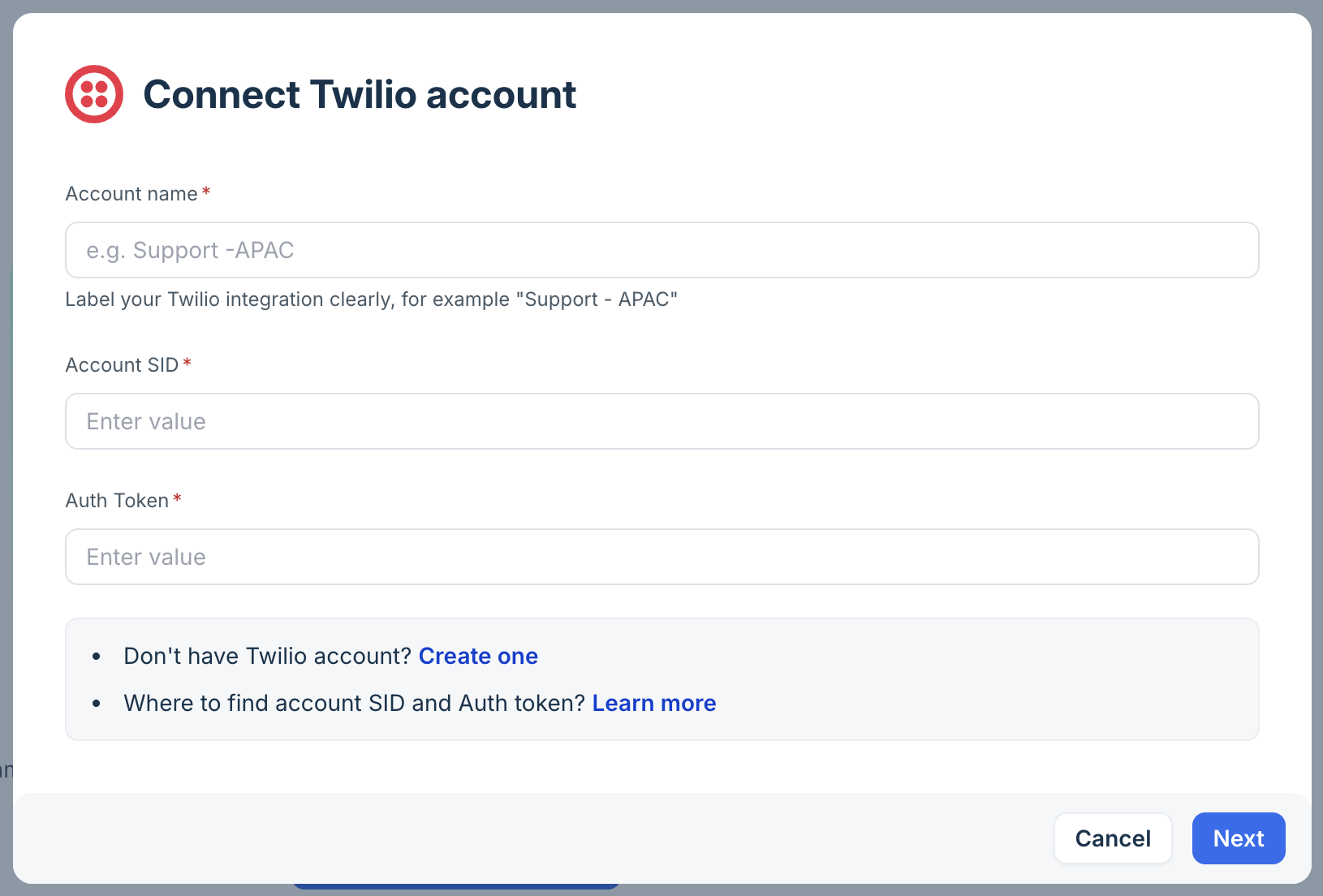
- Click Next. See Troubleshooting Twilio errors to resolve authentication failure errors.
- Select the phone numbers from your Twilio account that you want to enable for SMS. You can select multiple numbers.
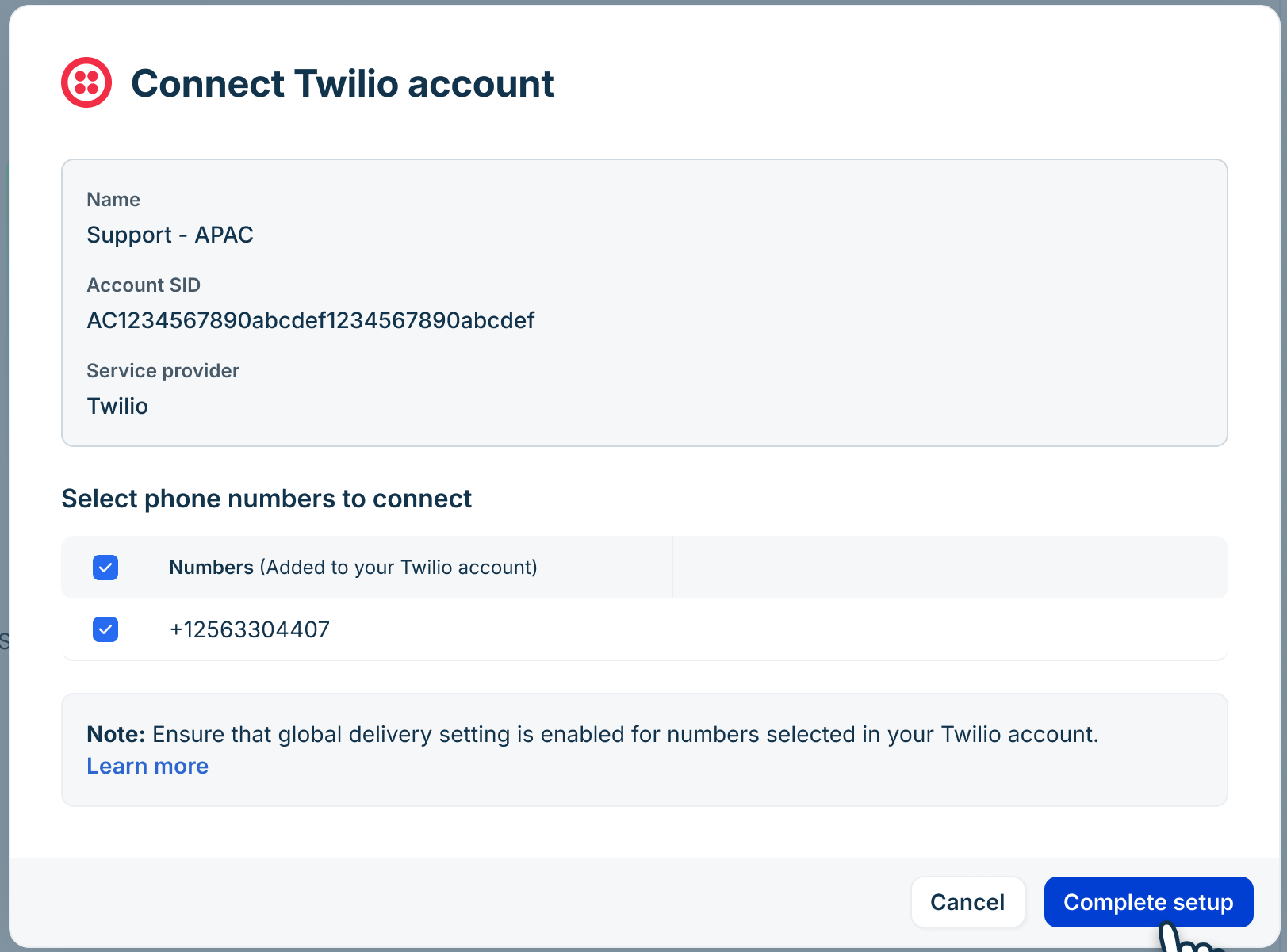 Note: If you don't have any phone numbers, you can purchase new numbers directly from the Twilio console before continuing.
 - Click Complete Setup.
You can also configure additional settings for the SMS channel, such as assigning SMS tickets to specific groups, setting up CSAT surveys, and more. For details, see Manage Twilio numbers for SMS.
Send and receive messages
Once your numbers are connected, all incoming SMS and MMS messages from customers appear in the inbox.
Agents can perform the following tasks:
- View the full conversation thread and respond without switching between windows.
- Perform all standard ticket actions on SMS tickets, including replying, adding notes, and changing the ticket status. They can also perform advanced actions, such as deleting or modifying ticket fields, executing scenarios, and logging time.
- Use the channel switcher to switch from chat to email. When switched, an email response is sent to the existing ticket, without creating a new ticket. However, this option is available only if the customer’s contact record includes a valid email address.
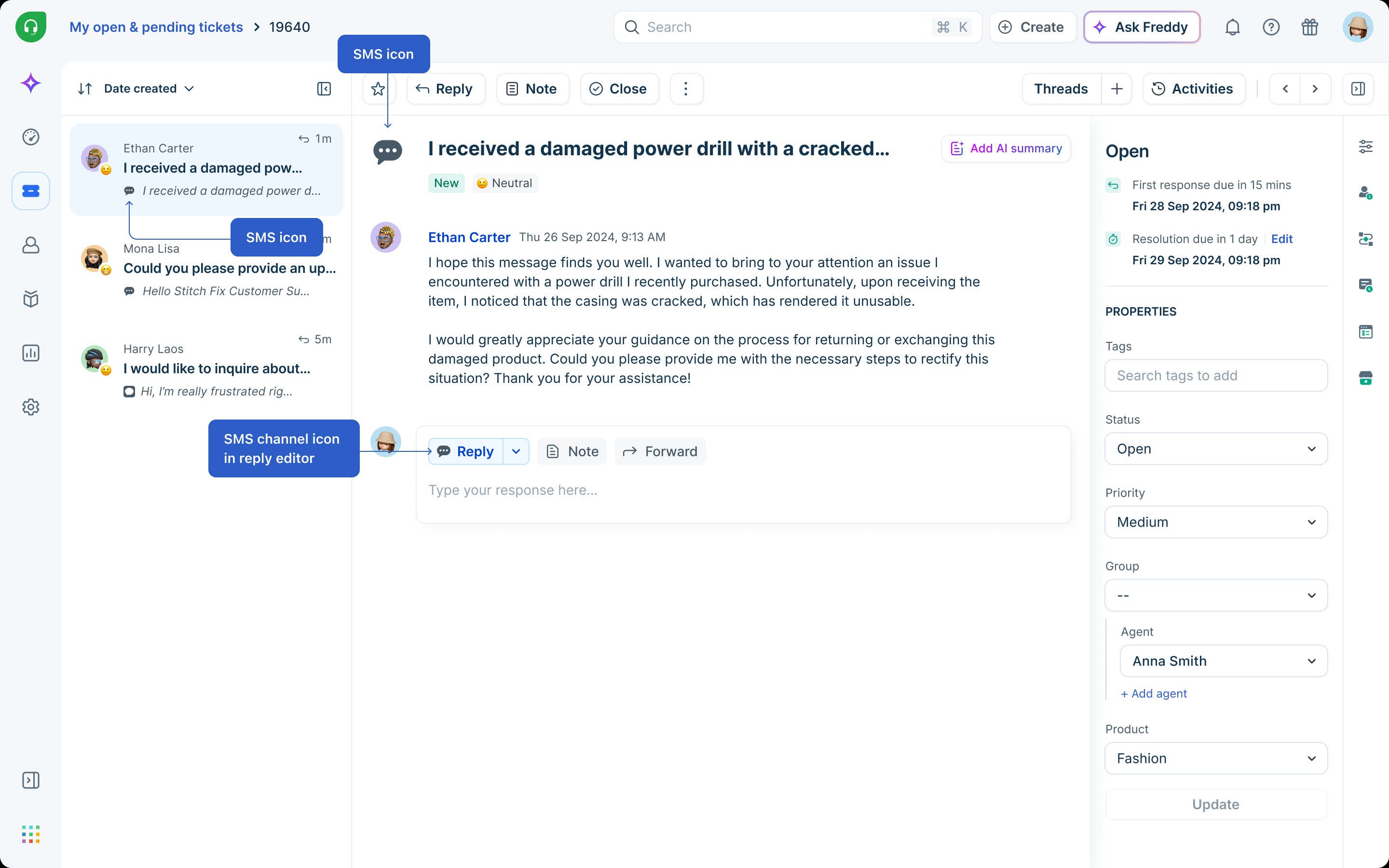
The types of content agents can send depend on whether the connected number is MMS-enabled or SMS-only. The following describes what each number type supports:
- Agents with an MMS-enabled number can send text, images, videos, audio, files, emojis, and GIFs.
- Agents with an SMS-only number can send text messages only. Media attachments are not available for these numbers.
Note: To receive media messages, customers must also have MMS-capable phone numbers. If a customer's number does not support MMS, send text-only messages instead.
Messaging limits and supported content
Message types supported
The following table lists the message types supported for SMS via Twilio.
Message type | User to agent | User to bot | Agent to user | Bot to user |
Text | Yes | Yes | Yes | Yes |
Image | Yes | Yes | Yes | Yes |
Video | Yes | Yes | Yes | Via public URL |
Audio | Yes | Yes | Via app | No |
File | Yes | Yes | Yes | Yes |
Emoji | Yes | Yes | Yes | Yes |
GIF | Yes | Yes | Yes | — |
Sticker | NA | NA | NA | NA |
Bot automation | — | Yes | — | — |
Articles (structured) | — | — | — | No |
Carousels | — | — | — | No |
Buttons | — | — | — | No |
Dropdown list | — | — | — | No |
Delivered status | NA | — | NA | — |
Read status | NA | — | NA | — |
Typing indicator | NA | — | NA | — |
User name | NA | — | — | — |
User image | NA | — | — | — |
Yes = Supported, No = Not supported, NA = Not supported by the SMS channel.
Messaging limits
The following restrictions apply for SMS and MMS:
SMS limits
- Each SMS message supports up to 160 characters.
- Messages that exceed 160 characters are split and sent as multiple segments. For example, a 161-character message is sent as two messages: one of 153 characters and one of 8 characters.
- SMS-only numbers cannot send MMS messages.
MMS limits
- The maximum file size is 5 MB.
- Maximum message length is 1,600 characters. Messages that exceed this limit are not sent to the end customer.
- For a full list of accepted media content types, refer to theTwilio MMS documentation.
Messaging restrictions
Certain messaging restrictions apply based on the destination country and number type. Review the following before sending messages to customers in specific regions.
Geo-permissions for message delivery
If your messages are not being delivered, you may need to enable the destination country in your Twilio geo-permissions settings.
To enable geo-permissions, follow these steps:
- Log in to your Twilio console.
- Navigate to SMS Geo-Permissions.
- Select the checkboxes for each region you want to send to or receive SMS from.
- Click Save.
Note: Most countries are enabled by default. Check this setting if messages to a specific country are not being delivered.
UK messaging restrictions
The following restrictions apply to SMS messages sent from International Long Codes to UK mobile numbers.
- From 1 June 2023: Messages from International Long Codes to UK mobile numbers are blocked.
- From 3 July 2023: All traffic from International Long Codes to British Telecom (BT) in the UK is blocked.
- From 1 August 2023: Traffic from International Long Codes to SKY in the UK is charged at £0.07 per message segment.
- From 1 September 2023: All traffic from International Long Codes to SKY in the UK is blocked.
UK network operators classify the use of International Long Codes for Application-to-Person (A2P) SMS as an abuse of Person-to-Person (P2P) routes. To send messages to UK numbers, use an Alphanumeric Sender ID, a domestic Long Code, or a Short Code. For guidelines on compliant UK messaging, refer to the Twilio UK messaging guide.
US 10 DLC registration
If you send messages to US customers, you must register your Twilio number as a 10-digit long code (10 DLC). Unregistered 10 DLC numbers return a 30034 error code when messaging US end customers. To register a 10 DLC number, follow the steps in the Twilio 10 DLC registration guide.
Note: Use toll-free numbers to send messages to US customers — they have fewer restrictions and do not require 10 DLC registration. For registration queries, contact Twilio support.
Troubleshooting Twilio errors
If you encounter issues during your Twilio SMS configuration, refer to the following frequently asked questions for guidance on diagnosing and resolving common problems.
- I cannot send or receive SMS.
- Check if your Twilio account is connected to your account.
- Verify if the phone number status is Active.
- Check if your Twilio account has sufficient credit.
- Check whether the destination country is supported for Twilio SMS and whether global SMS is enabled for the phone number. For more information, refer to the Twilio-supported countries guide.
- My messages are undelivered.
Refer to the Twilio undelivered messages troubleshooting guide for steps to diagnose and resolve delivery failures. - What are the limitations of Twilio free trial accounts?
Twilio trial accounts have restrictions on the phone numbers you can message and require a verified caller ID. For a full list, refer to the Twilio trial account limitations guide. - Can I send global SMS on Twilio trial accounts?
Twilio does not impose additional restrictions for global SMS on trial accounts. For details, refer to the Twilio global SMS guide.