
Benchmark Insights is a performance intelligence feature in Freshdesk that provides you with a personalized snapshot of how your support team is performing. It compares your key support metrics against global benchmarks documented in our 2026 CX Benchmark Report and surfaces tailored recommendations to help you improve efficiency, adopt the right features, and deliver better customer experiences.
The report is available in Freshdesk, and an email notification delivers a snapshot of the most relevant insights and trends, so you can review them wherever it is most convenient.
TABLE OF CONTENTS
- View your Benchmark Insights
- Analyze Benchmark Insights
- Recommendations explained
- Take action
- Frequently Asked Questions
View your Benchmark Insights
Freshdesk generates Benchmark Insights reports periodically and notifies account admins when a new report becomes available. You can access the report using the following methods.
Via email:
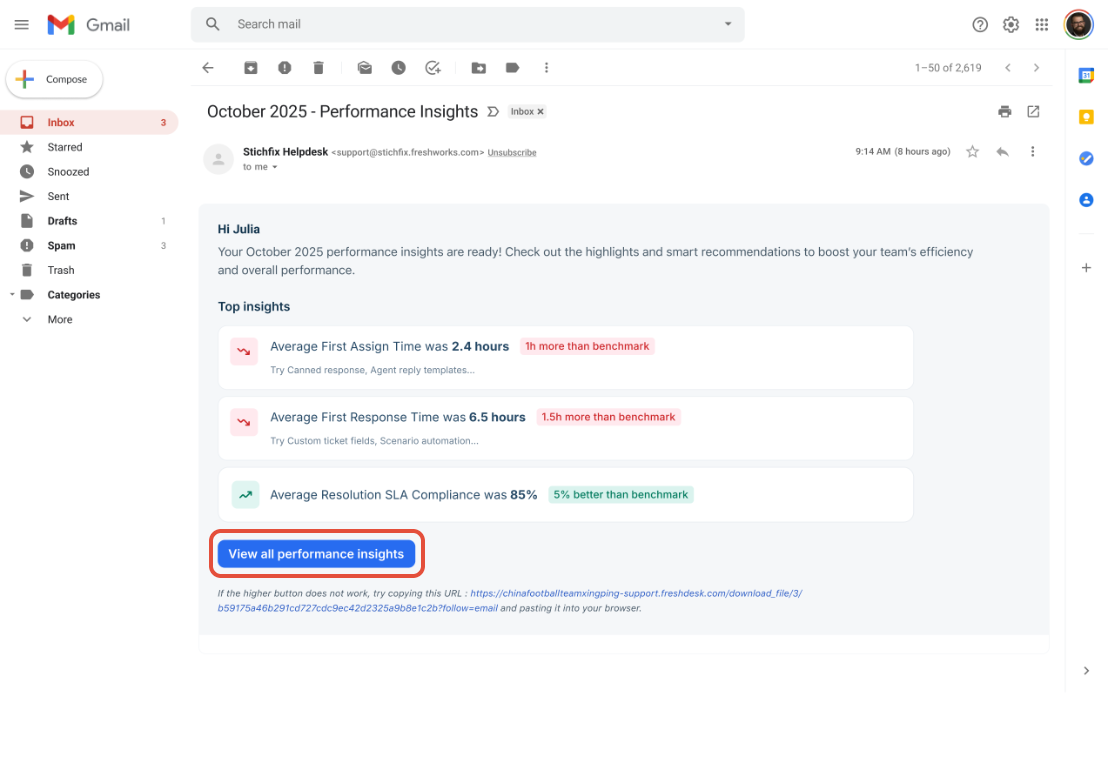
- You will receive an email that provides performance insights, highlighting key metrics such as First Assign Time, First Response Time, Resolution Time, and Resolution SLA % Compliance. The email will also include a link to the full report.
- Click View all performance insights in the email to open the complete report in Freshdesk.
Inside Freshdesk:
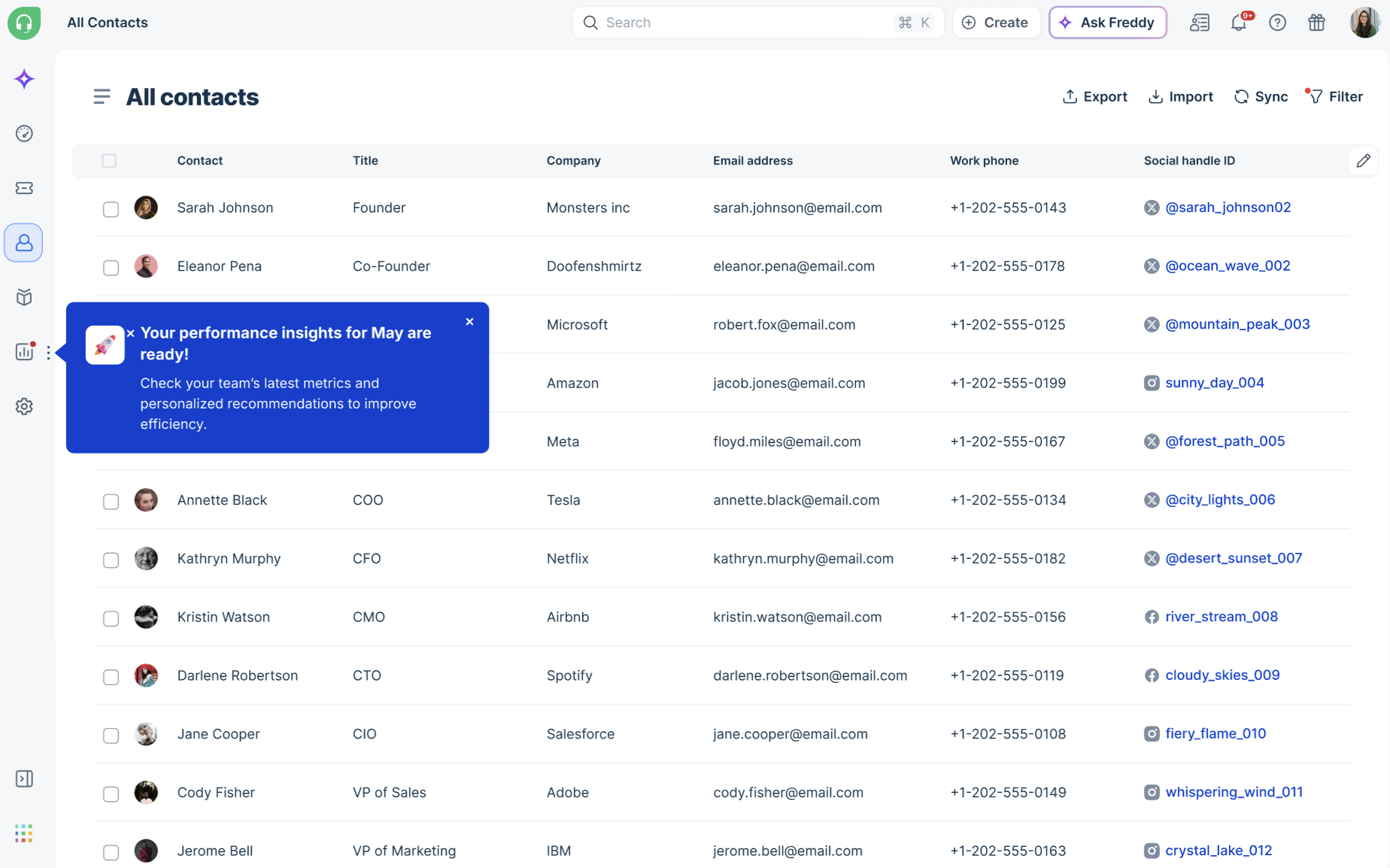
- You will also see a notification in the product when your latest report is ready
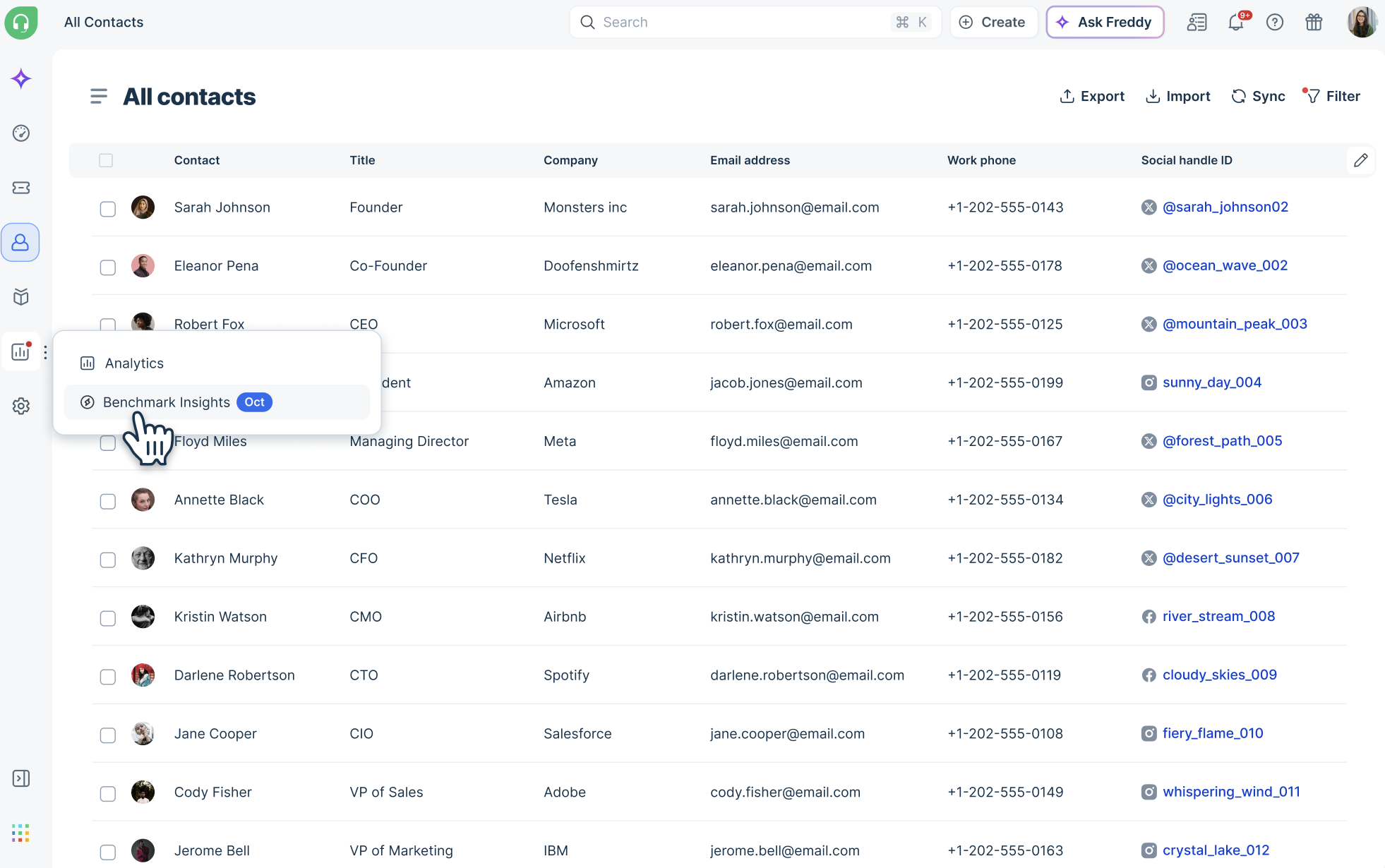
- Navigate to Analytics > Benchmark Insights in the left navigation panel
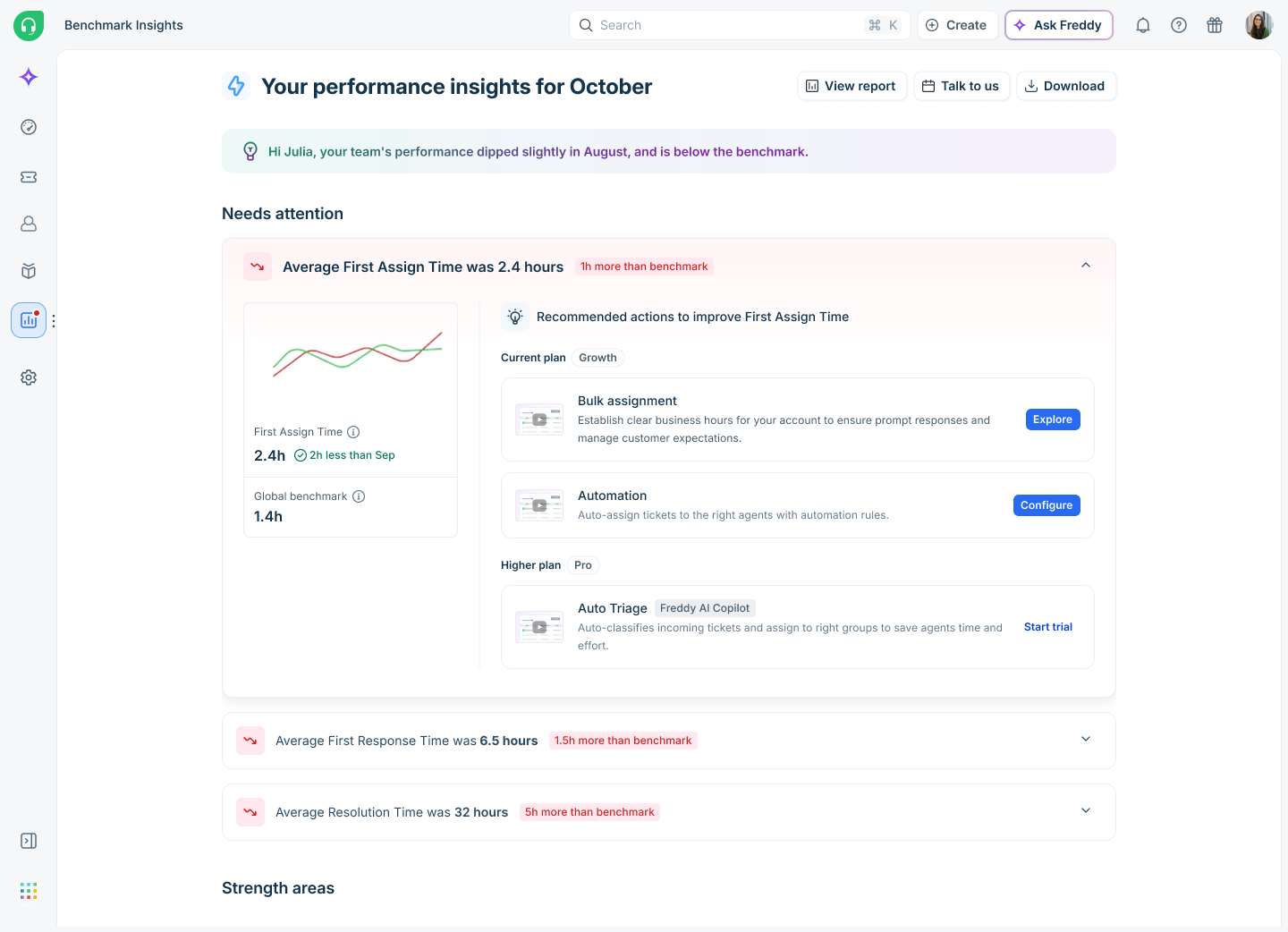
- Once you click Benchmark Insights, you can view your performance insights
Analyze Benchmark Insights
Benchmark Insights organizes your support performance data into focused sections that help you quickly understand where your team performs well, where performance gaps exist, and which recommendations can help improve outcomes. Each section highlights a different aspect of your support operations so you can review benchmarks, identify trends, and take action directly from the report.
Your Benchmark Insights includes the following sections:
Top insights
The top of the report shows an overall summary message based on how your team is doing relative to the benchmark — for example, whether your team is excelling, performing well with untapped potential, or below the benchmark. This gives you an at-a-glance read of your current standing.
Needs attention
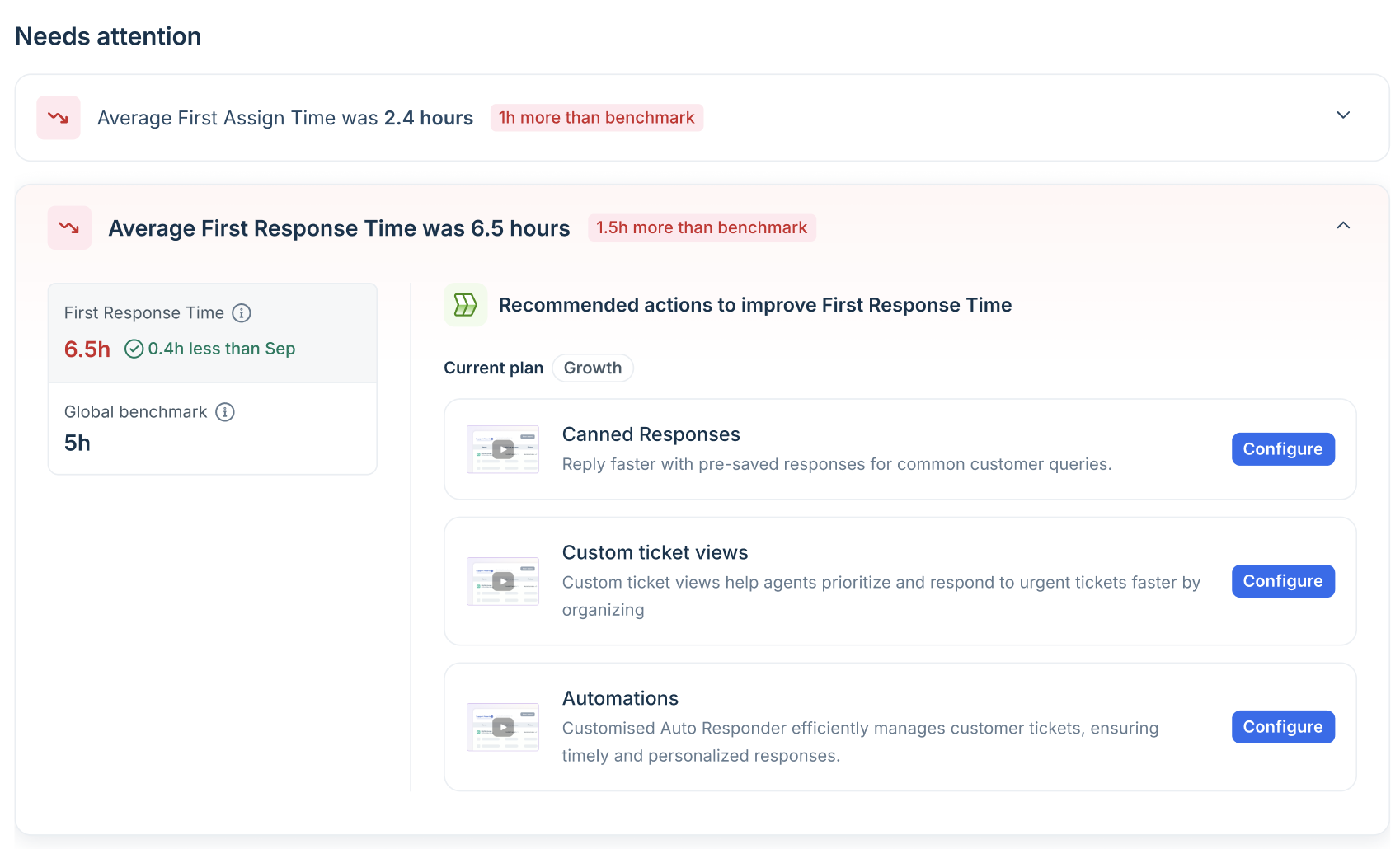
This section highlights metrics where your performance is below the global benchmark. For each lagging metric, you will see:
- Your current value for the metric
- The global benchmark value
- Recommended actions — specific Freshdesk features you can configure or explore to improve that metric
Strength areas
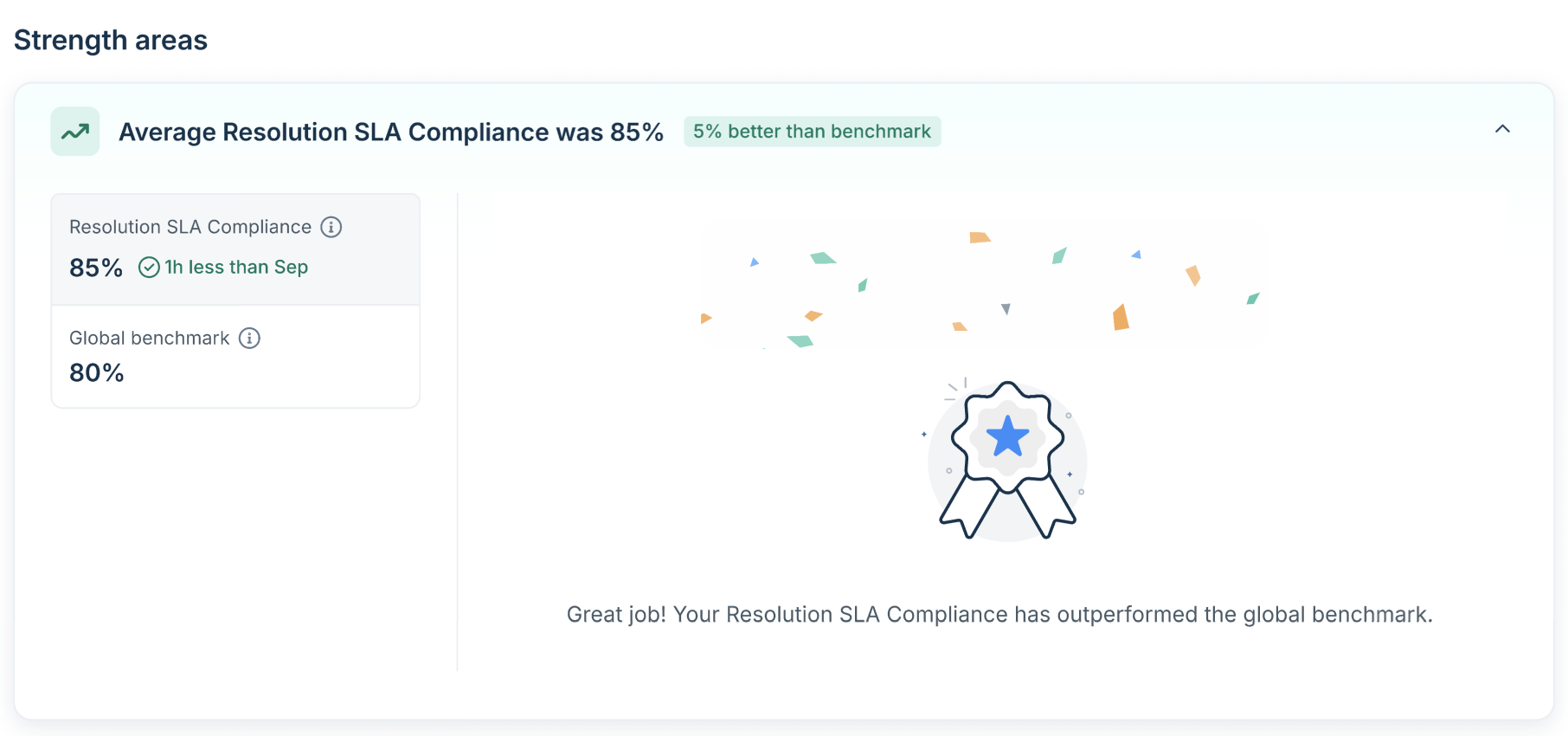
This section provides metrics where your team is performing at or above the global benchmark. Use this section to recognize what is working well for your team.
Recommendations explained
Recommendations in Benchmark Insights are personalized based on your current plan, team size, and the specific metrics where you are lagging. These recommendations are designed to help improve operational efficiency and drive measurable outcomes.
Based on your account configuration, subscription plan, and identified performance gaps, the report may recommend the following:
- Feature configuration — Features available on your current plan that you have not yet set up, which could directly improve a lagging metric.
- Advanced features to explore — Advanced features available on higher plans that may address your performance gaps. You will be offered a trial to experience these firsthand.
- Freddy AI features — AI-powered capabilities such as Email AI Agent, Writing Assistant, Reply Suggestor, Ticket Summary, and Auto Triage that can boost agent productivity and speed.
- Connect with your success manager — For accounts that may benefit from personalized guidance, the report may prompt you to schedule time with a Freshdesk expert.
Note: Recommendations are tailored to your situation and will differ based on which metrics are lagging, your current plan, and the features you have already configured. Not all recommendation types will appear in every report.
Take action
Each recommendation comes with a direct call to action. Depending on the recommendation, you can:
- Configure — Set up or enable a feature directly from the recommendation card.
- Explore — Access contextual guidance that walks you through completing the recommended action in the relevant product area.
- Start trial — Try a higher-plan feature for free to see if it improves your performance.
- Talk to us — Create a ticket to connect with your Freshdesk Account Manager or Customer Success Manager for personalized assistance.
- View report — Open the full performance report in your Analytics module for a deeper dive into your data.
- Download — Save a copy of your report as a PDF for offline reference or to share with your team.
Frequently Asked Questions
- Who can see Benchmark Insights?
Benchmark Insights is available to Administrators and Account admins on Freshdesk. The report reflects data at your account level.
- How are global benchmarks calculated?
Global benchmarks are median values derived from anonymized, aggregated data across Freshdesk accounts worldwide. They represent what a typical well-performing support team achieves on each metric.
- What does it mean if a metric shows below the benchmark?
It means your team's average for that metric is outside the expected range compared to similar teams globally. This is an opportunity — the report will show you specific actions you can take to close the gap.
This may also suggest that while your team has successfully mastered manual workflows, they have reached a process ceiling. In this context, adopting automation or advanced features could enable them to scale more effectively and enhance overall efficiency.
- Can I download or share my report?
Yes. Use the Download button in the report view to save a copy. You can share a copy of the report with your team or leadership for review.
- How often is my data refreshed?
This report will be refreshed monthly, since it is a monthly report. And every month, an email will be sent to the account admins so they can access their report.
- What if I have questions about my recommendations?
Use the Talk to us button in your report to connect with a Freshdesk success manager. They can walk you through your report and help you prioritize the most impactful actions for your team.